Power Consumption Logger
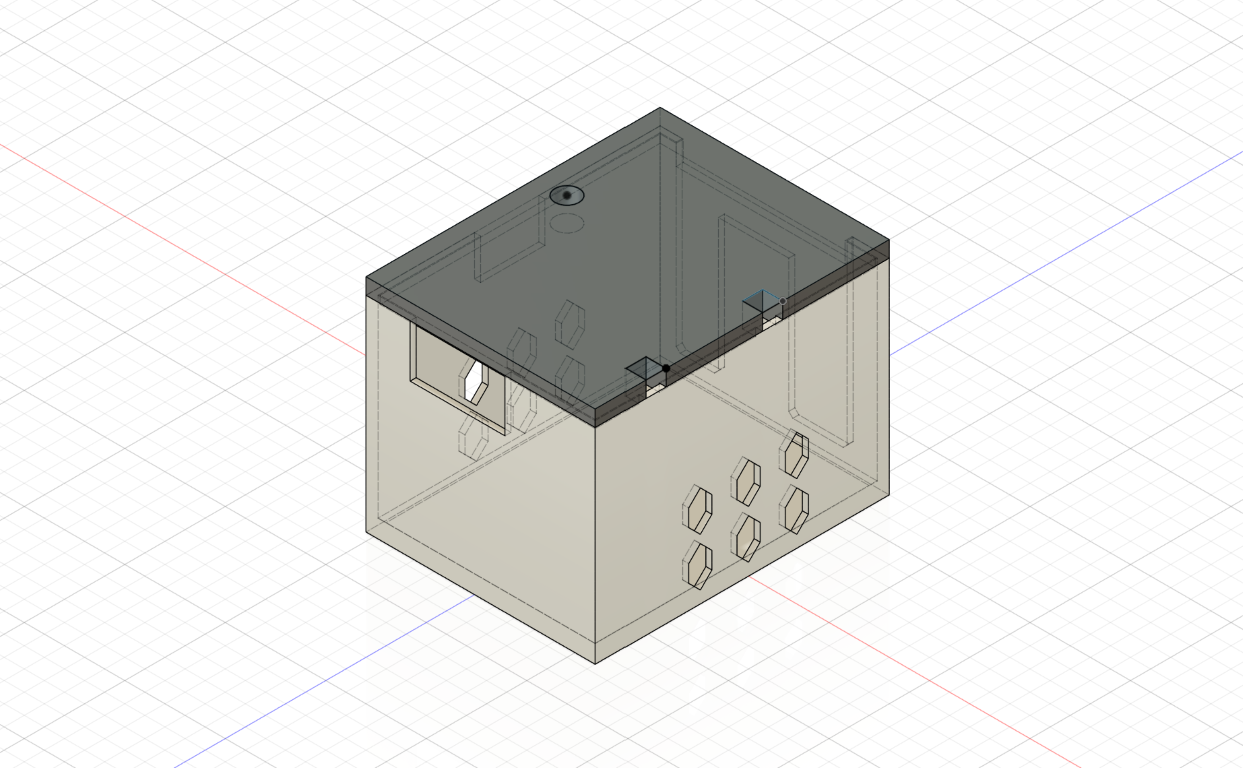
Overview
This is a simple embedded program that was intended to monitor the power operation of a heated floor unit. The idea was that it would periodically check if a pin was powered, and by extension, if the heating unit was active. This information was logged in CSV format to an attached SD card along with ambient temperature and a timestamp using an attached real time clock (RTC) module.
It all ended up being a bit more involved than I expected, but it did work in the end. This was designed to run on an Arduino Uno, and it pushed it’s program memory capacity to the limit — I think it would’ve been the dynamic part of its RAM, which had 2KB or so. I had to optimize certain aspects of the program so that it didn’t exhaust the RAM during runtime.
Some Successes
+ Full utilization of system resources with a variety of modules, including a real time clock, SD card, hardware timer, and temperature sensor
+ Combined 3D printing, wiring, embedded programming, and new tools into a complete solution
Some Things That Could Be Improved
- While cost was a consideration, this solution could probably be reconsidered to be more intuitive — wireless logging via the Internet, etc.
- The program itself could almost certainly be optimized further
Sources
Code Samples
The entire program is given below:
#include <arduino-timer.h>
#include <RTClib.h>
#include <SPI.h>
#include <SD.h>

// *** PINS ***
//const int RTC_PIN_32K = 0;  // 32KHz clock output
//const int RTC_PIN_SQW = 0;  // Square wave (interrupt)
//const int RTC_PIN_SCL = 0;  // Serial clock line
//const int RTC_PIN_SDA = 0;  // Serial data line
const byte SD_PIN_MISO = 12; // Master-in, slave-out
const byte SD_PIN_MOSI = 11; // Master-out, slave-in
const byte SD_PIN_SCK  = 13; // Serial clock
const byte SD_PIN_CS   = 4;  // Chip select
const byte TEMP_PIN    = 0;  // Temperature sensor
const byte LED_PIN     = 7;  // Indicator LED
const byte CIRCUIT_PIN = 2;  // Read state pin

// *** TEMPERATURE ***
float lastTemperature;

// *** RTC / TIME ***
char timeBuffer[20];
char monthDayBuffer[4];
RTC_DS3231 rtc;

// *** SD / LOGGING ***
const String FILE_NAME_BASE = "logs";
File logFile;

// TASKING
auto mainTimer = timer_create_default();
byte circuitState = 0;

void logAndPrint(String message, bool logTime = false, bool logToFile = true)
{
    message = logTime
        ? readTimeToBuffer() + ": " + message
        : message;

    Serial.println(message);
    message = message + "\r\n";
    if (logToFile)
    {
        String filename = FILE_NAME_BASE + String(monthDayBuffer) + ".txt";
        if (logFile = SD.open(filename, FILE_WRITE))
        {
            char logBuffer[message.length()];
            message.toCharArray(logBuffer, message.length());

            logFile.write(logBuffer);
            logFile.flush();
            logFile.close();
        }
        else
        {
            Serial.println(F("SD OPEN ERROR"));
        }
    }
}

String readTemperatureSensor()
{
    float voltage = (analogRead(TEMP_PIN) * 5.0) / 1024;
    float temperatureF = (((voltage - 0.5) * 100) * 9.0 / 5.0) + 32.0;
    return String(temperatureF);
}

String readTimeToBuffer()
{
    DateTime current = rtc.now();
    sprintf(timeBuffer, "%02d:%02d:%02d %02d/%02d/%02d",
            current.hour(), current.minute(), current.second(),
            current.day(), current.month(), current.year());

    sprintf(monthDayBuffer, "%02d%02d", current.month(), current.day());
    return timeBuffer;
}

bool mainTimerCallback()
{
    digitalWrite(LED_PIN, HIGH);

    if (digitalRead(CIRCUIT_PIN) == HIGH)
    {
        circuitState = 0; // HIGH -> Circuit is open, pin is pulled up
    }
    else
    {
        circuitState = 1; // LOW -> Circuit is closed, pin is grounded
    }

    String dataMessage =
        readTimeToBuffer() + "," +
        readTemperatureSensor() + "," +
        circuitState;
    logAndPrint(dataMessage);

    delay(15);

    digitalWrite(LED_PIN, LOW);
    return true;
}

// Use once for setting RTC
void setTime()
{
    rtc.adjust(DateTime(2020, 2, 4, 21, 58, 00));
    //logAndPrint(String(F("RTC updated: ")) + readTimeToBuffer(), false, false);
}

void setup()
{
    Serial.begin(9600);
    while (!Serial)
    {
        // Wait for serial connection to open
    }

    //logAndPrint(F("- BOOT -"), false, false);

    pinMode(CIRCUIT_PIN, INPUT_PULLUP);
    pinMode(LED_BUILTIN, OUTPUT);
    pinMode(LED_PIN, OUTPUT);
    digitalWrite(LED_BUILTIN, LOW);
    digitalWrite(LED_PIN, HIGH);

    rtc.begin();
    delay(250);
    mainTimer.every(1000 * 10, mainTimerCallback);

    if (!SD.begin(10))
    {
        //logAndPrint(F("Failed to initialize SD card"), false, false);
    }
    else
    {
        readTimeToBuffer();

        delay(250);
        String file = FILE_NAME_BASE + String(monthDayBuffer) + ".txt";
        if (SD.exists(file))
        {
            //logAndPrint("DEL " + file, false, false);
            SD.remove(file);
        }

        //logAndPrint("CREATE " + file, false, false);
        logFile = SD.open(file, FILE_READ);
        logFile.close();
        logAndPrint(F("DATE,TEMP,CLOSED"));
    }

    digitalWrite(LED_PIN, LOW);
    delay(200);
    digitalWrite(LED_PIN, HIGH);
    delay(200);
    digitalWrite(LED_PIN, LOW);
    delay(200);
    digitalWrite(LED_PIN, HIGH);
    delay(200);
    digitalWrite(LED_PIN, LOW);

    // DEBUG
    //logAndPrint("TIME " + readTimeToBuffer(), false, false);
    //logAndPrint("TEMP " + readTemperatureSensor() + "F", false, false);
    //logAndPrint(F("- STARTED -"), false, false);
}

void loop()
{
    mainTimer.tick();
}